

easykol

Browser discovery

How easykol chrome fits into creator research

The easykol chrome listing describes a way to find similar creators on YouTube and TikTok. Treat that as a starting point for discovery, then check each candidate’s audience, content and brand fit before adding them to a shortlist.

Easykol creator discovery imagery

Three checks behind a useful creator match

Finding a similar account is only the first check. This comparison separates what a browser discovery starting point suggests from the research needed to make a campaign decision.

Browser discovery starting point Campaign research follow-up
Starting point A creator or piece of content you already know A campaign brief with audience and content requirements
Similarity Potentially related creators to investigate A documented reason each candidate fits the brief
Content Visible topics and presentation style Recent posts checked for consistency and brand suitability
Audience An initial impression from public-facing content Audience evidence reviewed where reliable data is available
Activity A profile worth opening Posting recency and engagement patterns checked over time
Shortlist Names to consider Candidates prioritized with notes on fit and open questions
Decision A lead for further research A choice made after verification and outreach

From one creator to a defensible shortlist

Use the Chrome Web Store listing as evidence of the extension’s stated purpose, not as proof that any suggested creator is right for a campaign.

  1. 1

    Choose a reference creator

    Start with a YouTube or TikTok creator whose topic and presentation resemble the kind of content you need. Write down which qualities matter; a similar niche alone may be too broad.

  2. 2

    Review possible matches

    If you use the listed extension to find similar creators, open the candidates’ public profiles. Compare recent content, posting activity and visible engagement rather than relying on a similarity suggestion by itself.

  3. 3

    Record the reason for each choice

    Keep a shortlist with a specific fit note and an unresolved question for every candidate. Move to audience checks and outreach only after the profile still makes sense against the original brief.

Where a browser starting point stops

A discovery lead is not an audience audit, an endorsement or a guarantee that a creator is available.

1

Similarity is not suitability

Two creators can cover the same topic while attracting different audiences or using very different tones. A suggested match cannot establish brand fit on its own.

What to do instead

Review several recent posts and note the exact content traits that meet your brief.

2

Public profiles leave questions open

Visible views and comments do not establish audience location, authenticity or campaign performance. Do not infer private audience details from a profile preview.

What to do instead

Request appropriate audience evidence from the creator before making a decision.

3

A listing is not a feature guarantee

The cited Chrome Web Store result describes finding similar creators on YouTube and TikTok; it does not establish every control, data source or current compatibility detail.

What to do instead

Check the live listing, permissions and current product documentation before relying on a specific capability.

Adjust the checks to your role

The same discovery lead needs different follow-up depending on who will use the shortlist.

Brand team

Check the message as well as the niche

A brand team can use a similar-creator lead to widen its candidate pool, then examine whether recent posts would sit comfortably beside the campaign. Record any conflicts, disclosure habits or tonal concerns before outreach.

  • Compare recent topics with the campaign brief
  • Flag content that needs a closer brand-safety review

Agency researcher

Make each recommendation explainable

An agency researcher needs more than a list of lookalike profiles. Keep the reference creator, the reason each candidate was added and the evidence still needed so colleagues can review the shortlist without repeating the search.

  • Save a distinct fit note for every candidate
  • Separate verified observations from assumptions

Independent creator

Study peers without copying them

A creator can examine adjacent YouTube or TikTok accounts for topic ideas and presentation patterns. Use those observations to understand the landscape, while developing an original voice rather than reproducing another creator’s work.

  • Look for recurring audience questions
  • Identify an angle your own experience can support

Keep discovery connected to evidence

These research views illustrate the difference between spotting a candidate and deciding whether to contact them.

Easykol feature illustration for browsing creator possibilities

Step 1

Start wide, then filter deliberately

A discovery view is most useful when it opens possibilities you might otherwise miss. Compare candidates against the same written criteria instead of treating their position in any set of results as a recommendation.

  • Define the audience and topic before reviewing names
  • Keep a reason for including or excluding each profile
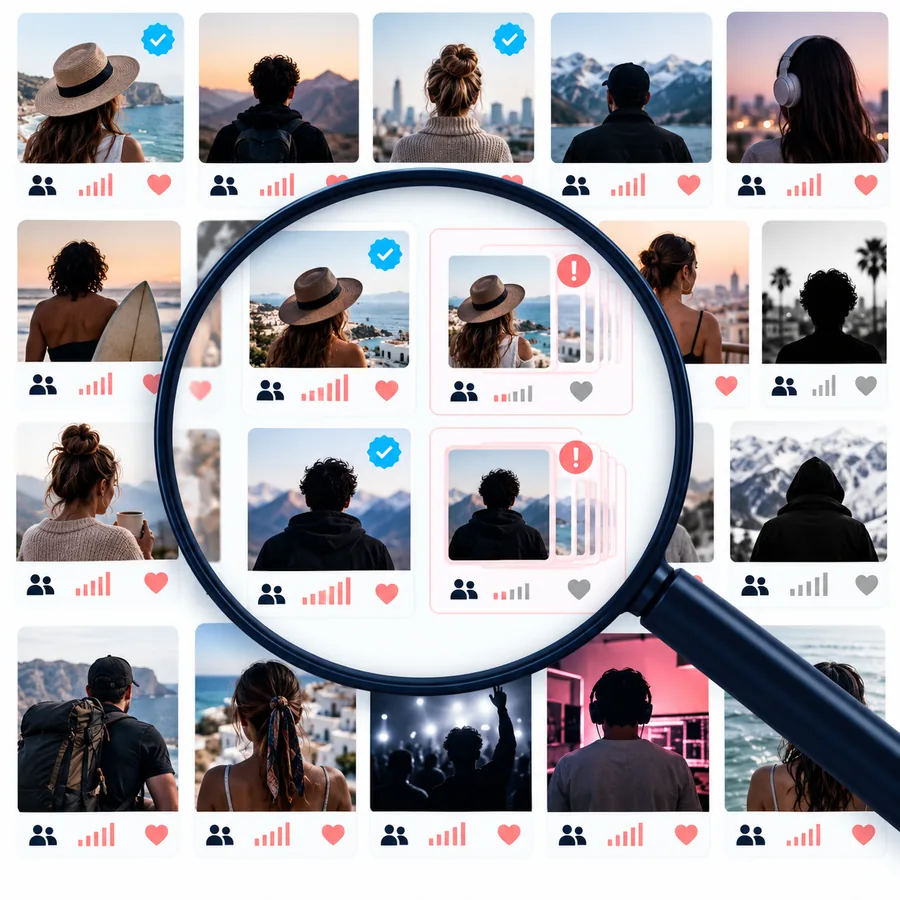
Easykol feature illustration for reviewing a creator profile

Step 2

Read the profile behind the result

A creator’s recent work gives context that a search result cannot. Look at format, tone and posting consistency, then mark which claims require information from the creator or another dependable source.

  • Review a range of posts, not just one successful video
  • Leave uncertain audience details marked as unverified

Continue from discovery to a clearer shortlist

Use a discovery lead to begin your research, then evaluate content, audience evidence and campaign fit before reaching out. Easykol connects you with a broader creator-discovery destination; check its current capabilities before planning around a particular workflow.

Give every creator lead a reason to be there

  • Begin with a clear reference creator
  • Check candidates against the same brief
  • Document what remains unverified
Explore creator discovery

Questions about the Chrome listing

The cited Chrome Web Store result is titled “EasyKOL: Find Similar Creators on YouTube, TikTok ...”. That supports describing it as a browser-based starting point for finding related creators, but the title alone does not verify its full feature set.

Yes. Both platforms appear in the cited Chrome Web Store result title. Check the live listing for current platform support and any changes to how the extension works.

No. Similar subject matter does not establish audience fit, content quality, availability or brand suitability. Review recent posts and request relevant audience evidence before selecting someone for outreach.

Read the current store description, permissions and privacy information, and confirm that the extension is the one you intended to install. If a particular feature is essential to your workflow, verify it in current product documentation rather than relying on a search-result title.

Find creators
Find creators